
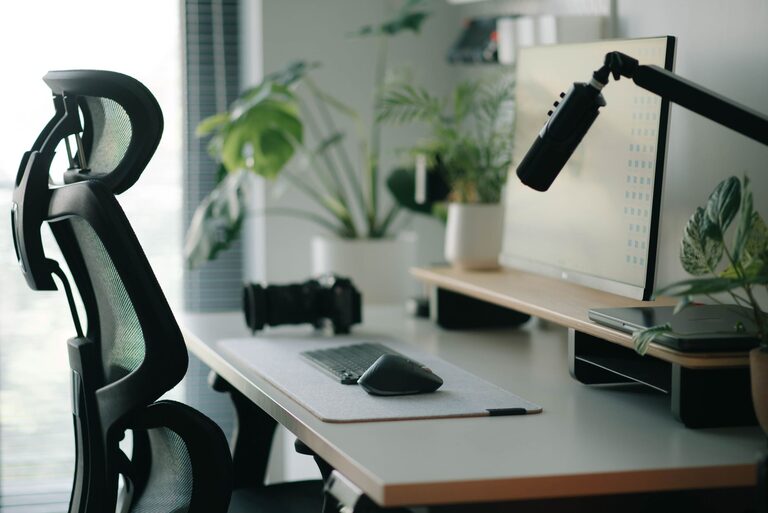
Creating a desk setup that supports both focus and comfort is essential for anyone spending long hours working or studying. The way your workspace is arranged can significantly affect your productivity, mood, and physical well-being. Whether you’re working from home, in an office, or studying, optimizing your desk setup can lead to better concentration and reduce discomfort.
In this post, we’ll explore practical tips to help you design a desk setup that promotes focus and comfort, from arranging your equipment to choosing the right accessories.
Why Your Desk Setup Matters
Before diving into the tips, it’s worth understanding why your desk setup plays such a crucial role. A well-organized and comfortable workspace helps minimize distractions, reduces strain on your body, and fosters a positive mindset. Conversely, a cluttered or poorly arranged desk can cause physical discomfort and lower productivity.
Essential Elements for a Focused and Comfortable Desk
1. Choose the Right Desk and Chair
– Desk height: Your desk should allow your elbows to rest comfortably at about a 90-degree angle when typing or writing. Standard desk height is usually between 28 and 30 inches.
– Chair support: Invest in an ergonomic chair that provides good lumbar support, adjustable height, and a comfortable seat cushion. Your feet should rest flat on the floor or on a footrest.
2. Position Your Monitor Correctly
– Eye level: Place your monitor so the top of the screen is at or just below eye level. This helps maintain a neutral neck position.
– Distance: Keep the monitor about an arm’s length away to avoid eye strain.
– Lighting: Position your monitor to avoid glare from windows or overhead lighting.
3. Optimize Your Keyboard and Mouse Placement
– Keep your keyboard and mouse close enough to avoid stretching.
– Position them so your wrists remain straight and relaxed.
– Consider using a wrist rest if you tend to rest your wrists on the desk.
4. Manage Cables and Clutter
– Use cable organizers or clips to keep cords tidy.
– Keep only essential items on your desk to reduce distractions.
– Use drawers or shelves to store documents and supplies.
Tips to Enhance Comfort and Focus
1. Use Proper Lighting
– Natural light is best, so place your desk near a window if possible.
– Use a desk lamp with adjustable brightness to reduce eye strain.
– Avoid harsh overhead lighting that creates glare or shadows.
2. Add Personal Touches Thoughtfully
– Include a plant or two to improve air quality and add a calming element.
– Display a few meaningful items, like photos or artwork, but avoid overcrowding.
– Use calming colors in your workspace décor to promote focus.
3. Incorporate Movement and Breaks
– Use a sit-stand desk or a convertible desk to alternate positions throughout the day.
– Take regular breaks to stretch and move your body.
– Try simple desk exercises or stretches to relieve tension.
4. Utilize Organization Tools
– Use trays, organizers, or drawer dividers to keep supplies orderly.
– Label items to easily find what you need.
– Keep a notepad or planner handy for jotting down tasks and ideas.
Ergonomic Accessories to Consider
– Monitor stands: Help adjust the height of your screen.
– Keyboard trays: Allow you to position the keyboard at the proper height.
– Footrests: Provide additional support and improve posture.
– Anti-fatigue mats: Useful for standing desk setups to reduce leg fatigue.
Final Thoughts
Investing time into setting up your desk can lead to improved focus, better posture, and overall comfort during your work or study hours. Remember that small adjustments can make a big difference, so experiment with your setup to find what works best for you.
By combining ergonomic principles with personal preferences and good organizational habits, you can create a workspace that not only enhances productivity but also supports your health and well-being. Happy working!
About the Author